home IT upgrade 2026
June 2026 - September 2026
Following last year, this is the documentation to my home IT equiment and systems in the summer of 2026.
We finally got fiber optic cables to our apartment and got Gigabit internet, and no longer behind a NAT.
The updates consist of:
- Pillow rabbit cam
- OPNsense router in Proxmox
- NAS fix
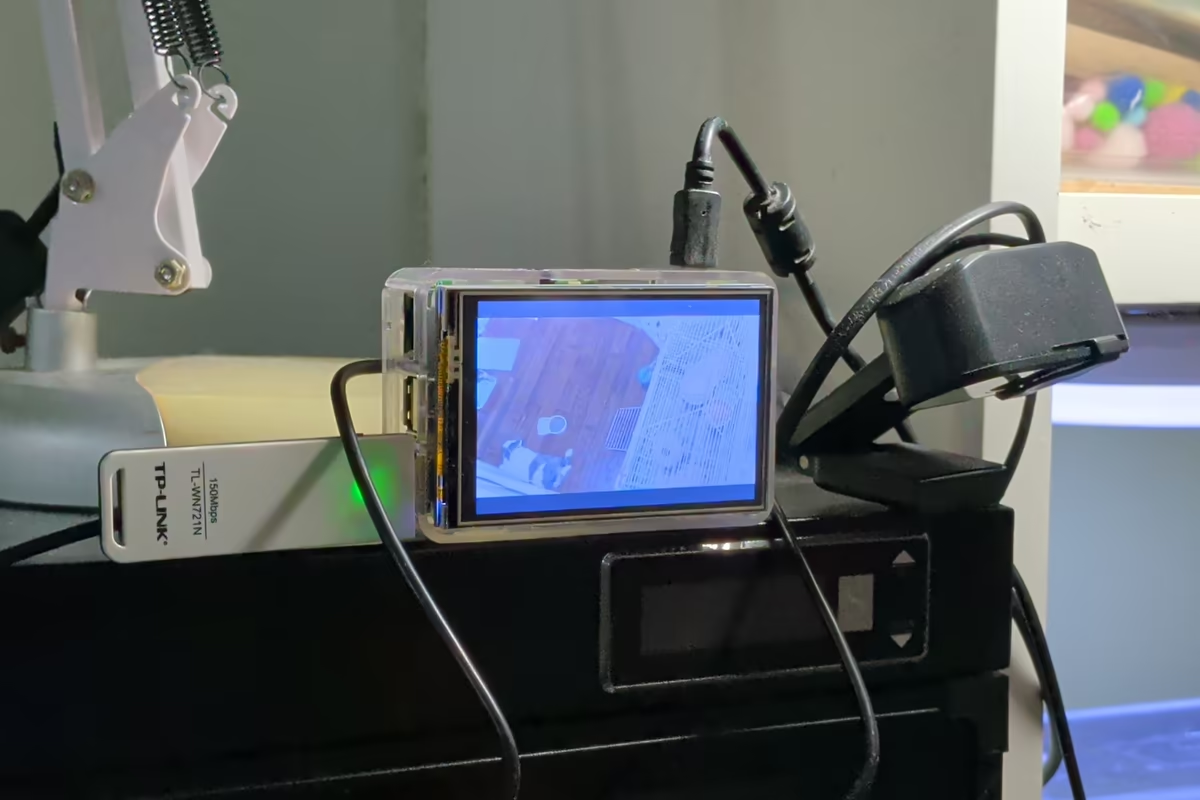
Pillow rabbit cam (image 1, 2)
-
Hardware (closeup in image 1):
- Raspberry Pi 2 Model B, quad core with 1GB of RAM
- A 3.5 inch 480x320 SPI TFT screen
- A TP-LINK 150Mbps USB wifi dongle
- A USB webcam
- A clear acrylic case
- A 120GB microSD card and a micro USB power supply
-
Hardware usage
- The PI was sitting around for years and now there is finally a usecase for it.
- The screen is used to align camera easily, displaying the rabbit stream.
- The USB webcam to capture Pillow the rabbit.
- The case comes with the screen, so is the microSD card.
-
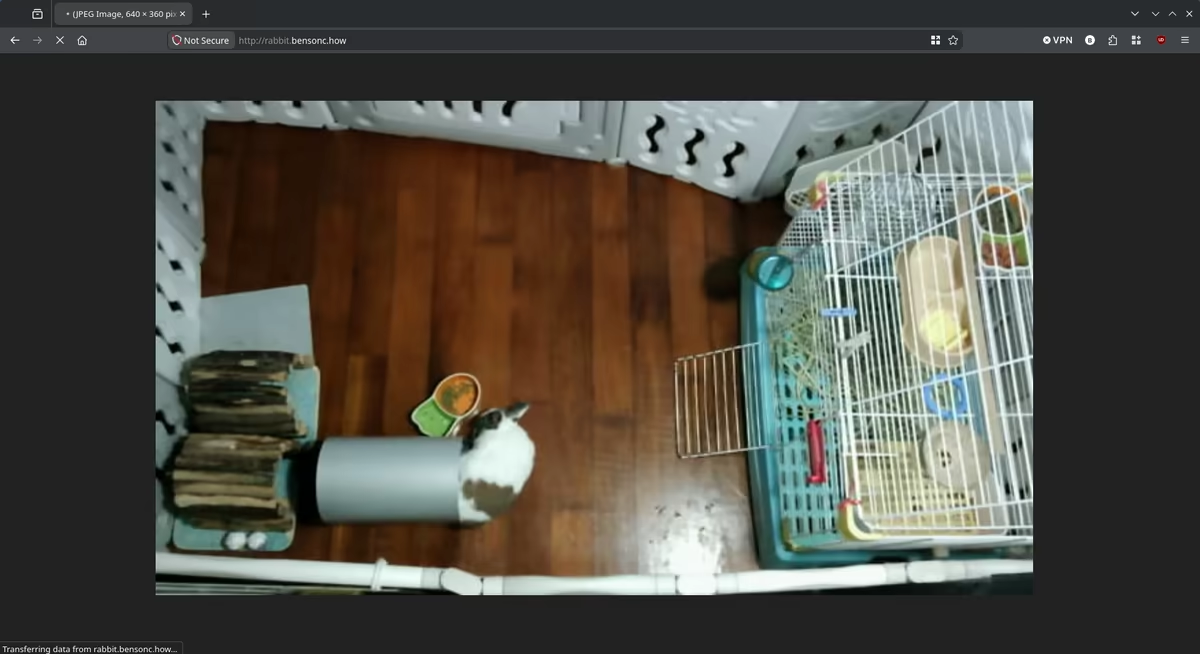
Software usage (screenshot of rabbit feed in image 2):
- Raspbian PI lite (basicly Armbian based on Debian 13 Trixie) is installed on the microSD card.
- The wifi dongle is setted up through
raspi-config, cause the PI 2 have no onboard wifi. - The vendor's
LCD35-showscript adds thetft35aoverlay, the panel comes up as/dev/fb1at 480x320 and 16 bit, withrotate=270in/boot/firmware/config.txtto sit the right way up. fbcpcomes with LCD-show to mirror fb0 onto fb1, it is commented out of/etc/rc.localcause ffmpeg writes to the panel itself.- ustreamer serves the webcam as MJPEG on port 8080 at 640x360 and 10fps, which is about all the dongle can carry, with a
/streamand a/snapshotendpoint. - For the panel a loop pulls
/snapshotonce a second and ffmpeg writes it to/dev/fb1asrgb565le, the screen is only there to aim the camera. - A
tft-camera.serviceunit requiresustreamer.serviceand restarts always, so the feed is back on the panel after a reboot. - rabbit.bensonc.how is a Cloudflare record pointing at the PI's local IP, Caddy reverse proxies it to port 8080 with
flush_interval -1so MJPEG is not buffered, and arewrite / /streammakes the bare domain the feed (image 2).
OPNsense router in Proxmox (image 3, 4, 5, 6)
-
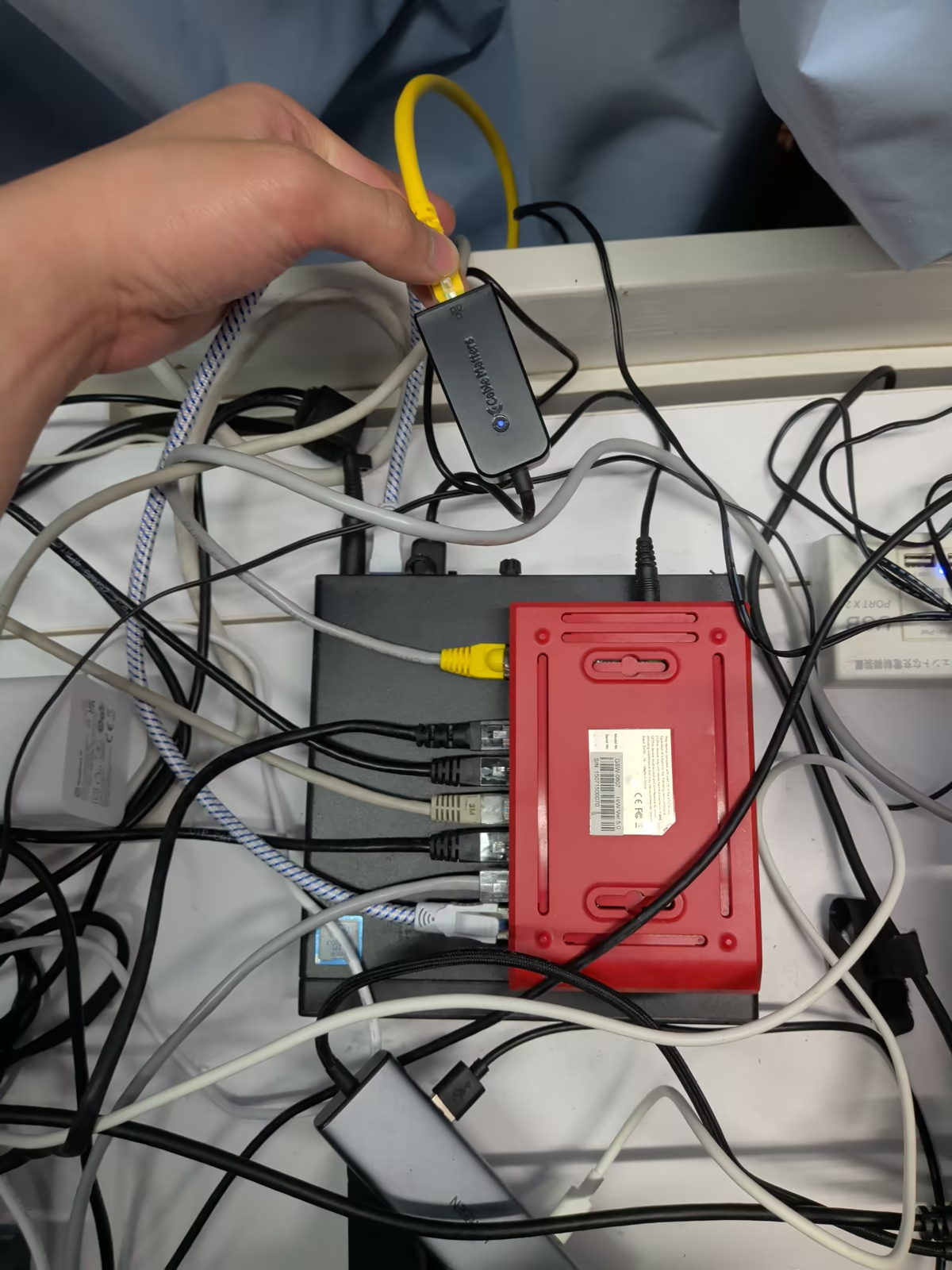
Hardware (closeup in image 3):
- Elite Desk g2 mini, with Intel i5 6500t
- 12GB of DDR4 2400Mhz Ram
- 256gb gen3 NVME SSD
- 250GB Samsung 840 evo Sata SSD
- Cable Matter USB 3.0 to ethernet adapter
- All the parts are second hand at the total cost of around £90
-
Hardware usage
- All the Xiaomi AX3000NE's from last year are now in AP mode
- There is 4 cores on the PC, but the OPNsense only needs 2 cores, so Proxmox let me run other stuff on same box.
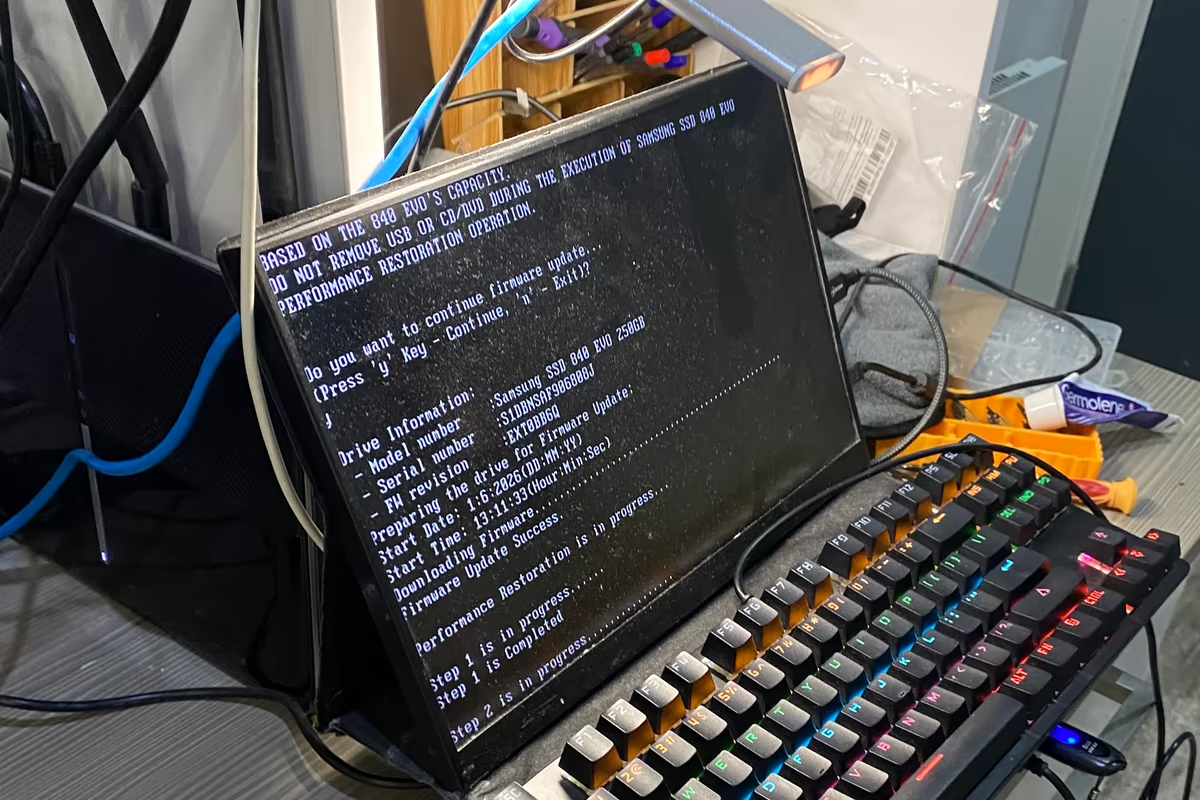
- The 840 Evo has the TLC voltage drift problem where old data horrible read speed, so Samsung's Performance Restoration tool is ran off a USB stick to flash new firmware and rewrite every cell (image 4).
- The two SSDs are in a ZFS mirror in RAID 1 config, so if one fail the other takes it place with no problem.
- The mirror is needed cause I won't be in Hong Kong for a while and it just provides redundance.
- There is only one ethernet port, but router needs two NICs, so the USB to ethernet adapter needed.
- LAN is through the more stable on board ethernet port while WAN is through the USB.
-
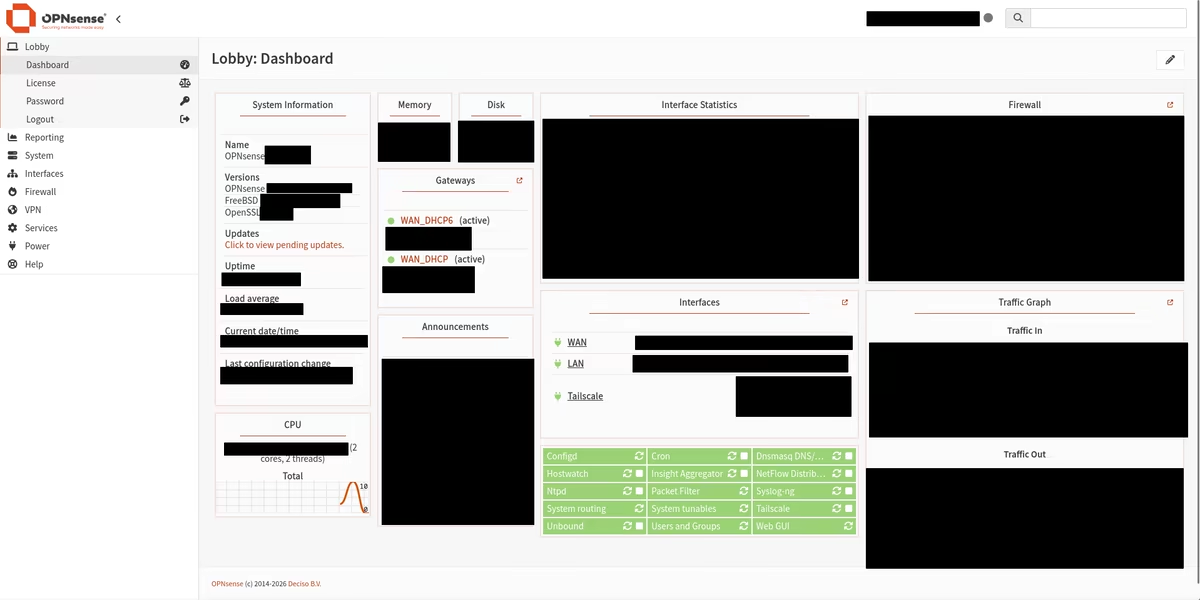
Software usage (screenshots in image 5, 6):
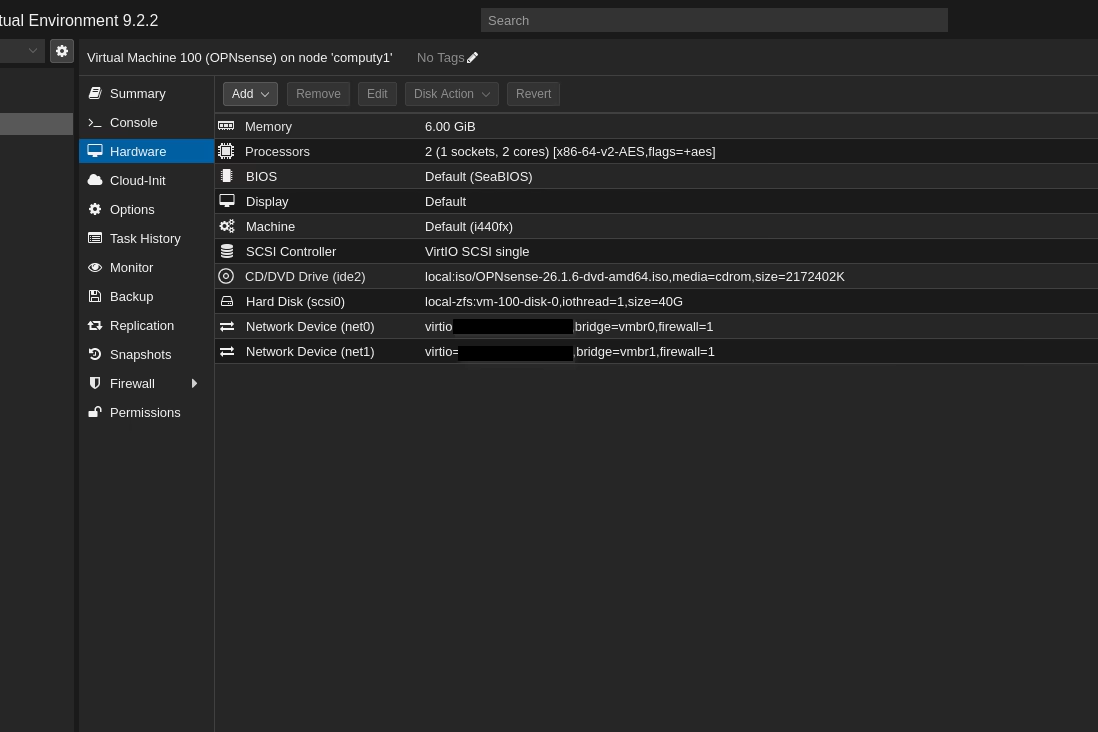
- The USB NIC is configured as a Linux networking bridge so it can be assigned to the OPNsense VM.
- OPNsense is installed in a VM for security, allocating 2VCPU cores, 40GB disk and 6GB RAM.
- Unbound is the DNS resolver for the whole LAN, with the blocklists turned on so ads and trackers are filtered on every device without installing anything on them.
- Tailscale is installed on the OPNsense VM, so the router is reachable from my tailnet.
- OPNsense also acts as a subnet router, advertising the home LAN to my tailnet so I can get on to the home network from anywhere.
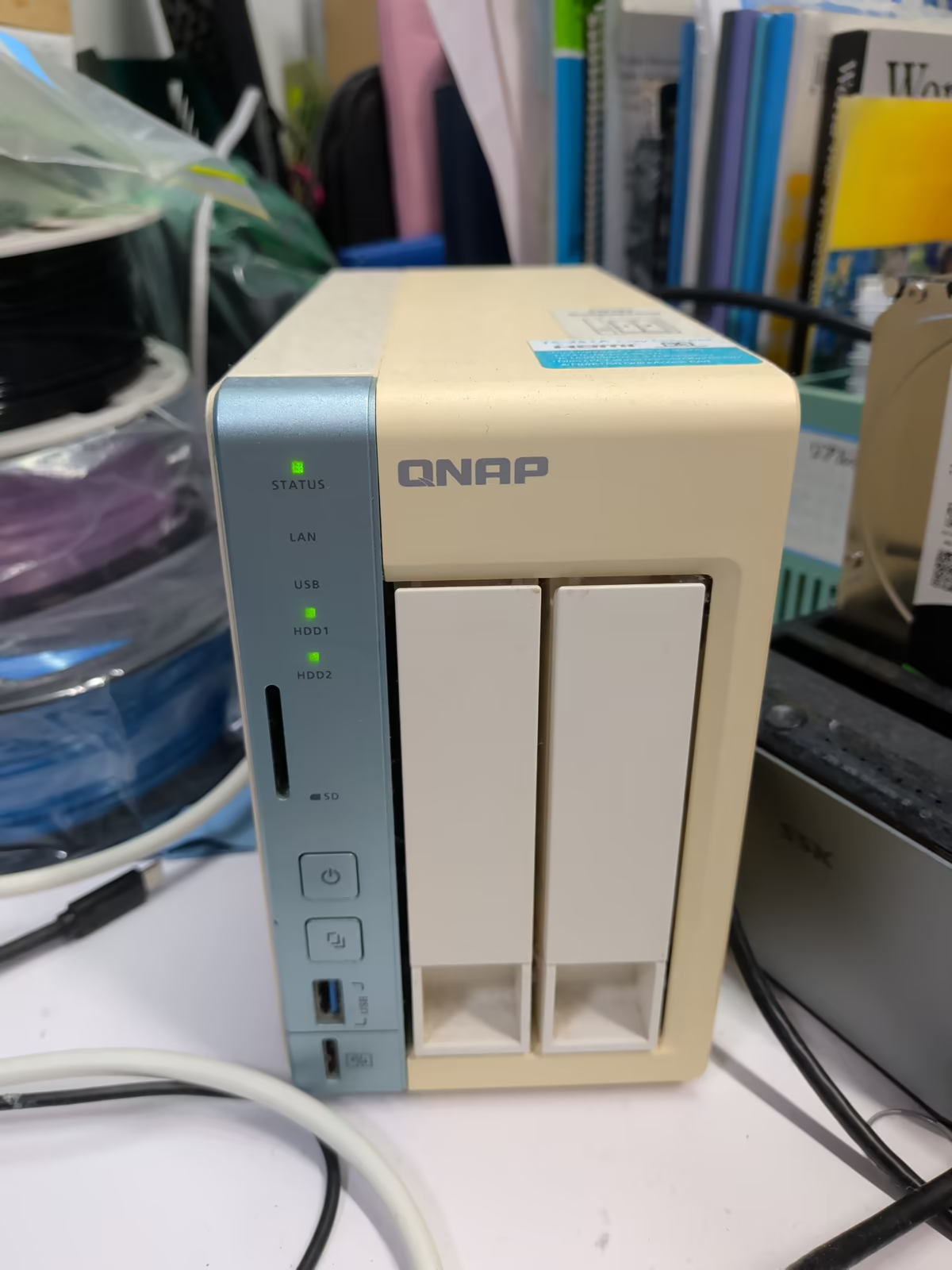
NAS fix (image 7, 8, 9)
-
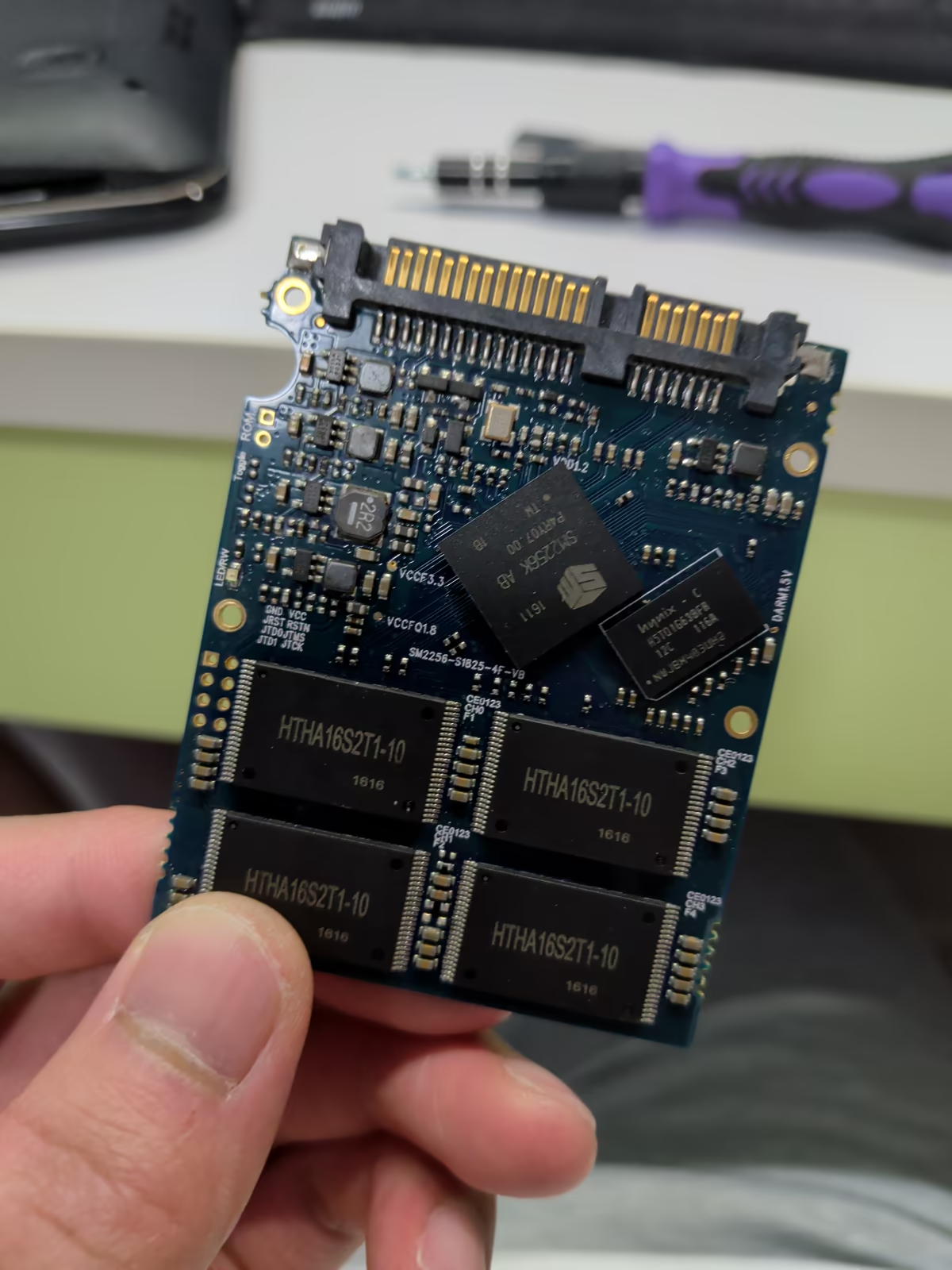
What broke (the dead SSD in image 7):
- The 120GB SSD that boots last year's QNAP NAS is dead.
- It is like the only SATA SSD I have with a DRAM cache, so it sucks.
- I don't have another SSD so the whole OS has to fit in the 4GB of eMMC on the NAS, which is the reason Debian went on an external SSD last year.
-
The fix (image 8, 9):
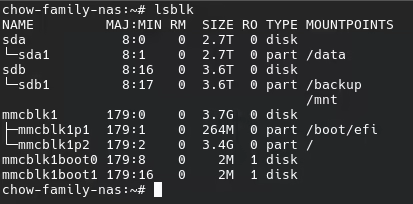
- Alpine Linux is installed on the 4GB eMMC instead.
- Last year's setup is replicated on top, the 3TB mounted at
/dataand the 4TB at/backup, with the Samba share and the Borg backups (image 8). - The NAS now boots on its own with nothing hanging off the USB port (image 9).